The app your job needs. Describe it, Livia builds it.
Its database included. On your computer, and shared with your team as easily as a document.
macOS, Windows and Linux. Free for 14 days, no card.

Every company runs on small apps nobody sells
A budget collection, a stock list, a client follow-up, a site-visit log: one job, a handful of people, a few tables. Nobody sells them, so they live in spreadsheets that grew too big, that one person understands and that break when a column changes.
Spreadsheets as databases
No types, no links between tables, no rights. One wrong paste and the totals are off.
Versions by e-mail
Fifteen copies go out, fifteen come back, and someone merges them by hand.
Software that almost fits
A ready-made tool covers most of the need. The rest goes back to a spreadsheet.
Projects that cost too much
A small app shouldn’t need a big project. Yet a custom one means a specification, a contractor and months of work, for a tool ten people use.
AI can now write an app. But then: where is its data, who signs in, who may see what, and where does it run?
An app is a file, with its data inside
There was a time when people who weren’t developers built their own apps. A manager, an assistant or a controller made the tool their job needed: a database, its screens and its scripts in one file on their computer, later shared with colleagues on the network.
Those tools have aged. They are closed and expensive, poor on the web and on phones, their scripting takes a specialist, and they have no AI. Livia brings the idea back: an agent builds the app with you, it works in a browser and on a phone, and it goes online in one click. It stays yours.
From a description to an app your team uses
- 1
Describe it
Tell Livia what you need. Attach a sheet, a screenshot or a PDF to show her.
- 2
Livia builds it
Screens, tables, roles and scripts, checked before they are saved. Change it by talking, or by hand in the editor.
- 3
Use it on your computer
Offline if you want. Your data stays with you.
- 4
Share it
Type your colleagues’ e-mail addresses and give each one a role. It goes online at its own address.
The same app, wherever it runs
Each app is one .lvapp file. The same engine runs it on your computer, on Livia Cloud and on your own server. Sensitive data can stay in the company, and an app on your own server keeps working if the internet or our cloud is down.
On your computer
In Livia Studio, on macOS, Windows or Linux, offline if needed. Copy the file, back it up, send it.
On Livia Cloud
Published in one click, at its own address. Sign-in, users, roles and backups are included.
On your own server
The same engine at your place, with your own sign-in and backups. It doesn’t depend on our cloud.
Not a layer over a database you must already have
Each app carries its own database, with its records and its files. Fields have types, tables are linked, rules are checked. Your data is in an open format (SQLite), in a file you can take away.
- Import CSV and Excel files, with the columns matched to fields before anything is written
- Export any list or table to CSV or Excel
- Files and photos kept with their records
- Changes to the structure kept with the app, and applied to the data in order
The finance controller and the budget
Each month, the controller loads exports from accounting, payroll and the bank, reworks them with formulas and sends reports. Each autumn, a workbook goes to fifteen managers and fifteen versions come back. With Livia:
Livia works around Excel. It doesn’t replace it: it stops Excel being the database.
- The monthly exports are imported into clean tables, and a script applies the rework rules, written once, and checks the result.
- Reference data kept by hand, such as cost centres and allocation keys, becomes real tables with entry screens and rights.
- Each manager enters their budget on a screen limited to their own cost centre, and the totals are always up to date.
- Versions (initial, arbitration, reforecast) are a column, not copies of a file. Reports go to the management committee as PDF files.
An agent builds it, the model keeps it safe
A model, not free code
Livia writes a declarative app (screens, tables, roles, scripts) and checks it before saving. There is no generated code to maintain.
Roles enforced everywhere
The same rules apply to the screens, the scripts and the agent: each person sees only what their role allows, down to each record.
Rights stay with people
Only people give roles: the agent can’t change who has which. Fields marked sensitive, such as pay, are never shown to AI models.
Versions and backups
Go back to any version, try changes on a copy first, and on Livia Cloud, encrypted backups you can restore to a point in time.
Claude Code works with Livia’s tools
Connect Claude Code to Livia Studio and it changes your apps with the same tools as Livia, checked the same way. It runs on your own Claude subscription and spends no Livia credits. For scripts and the terminal, there is liviacli.
Sales, stock, site visits, bookings
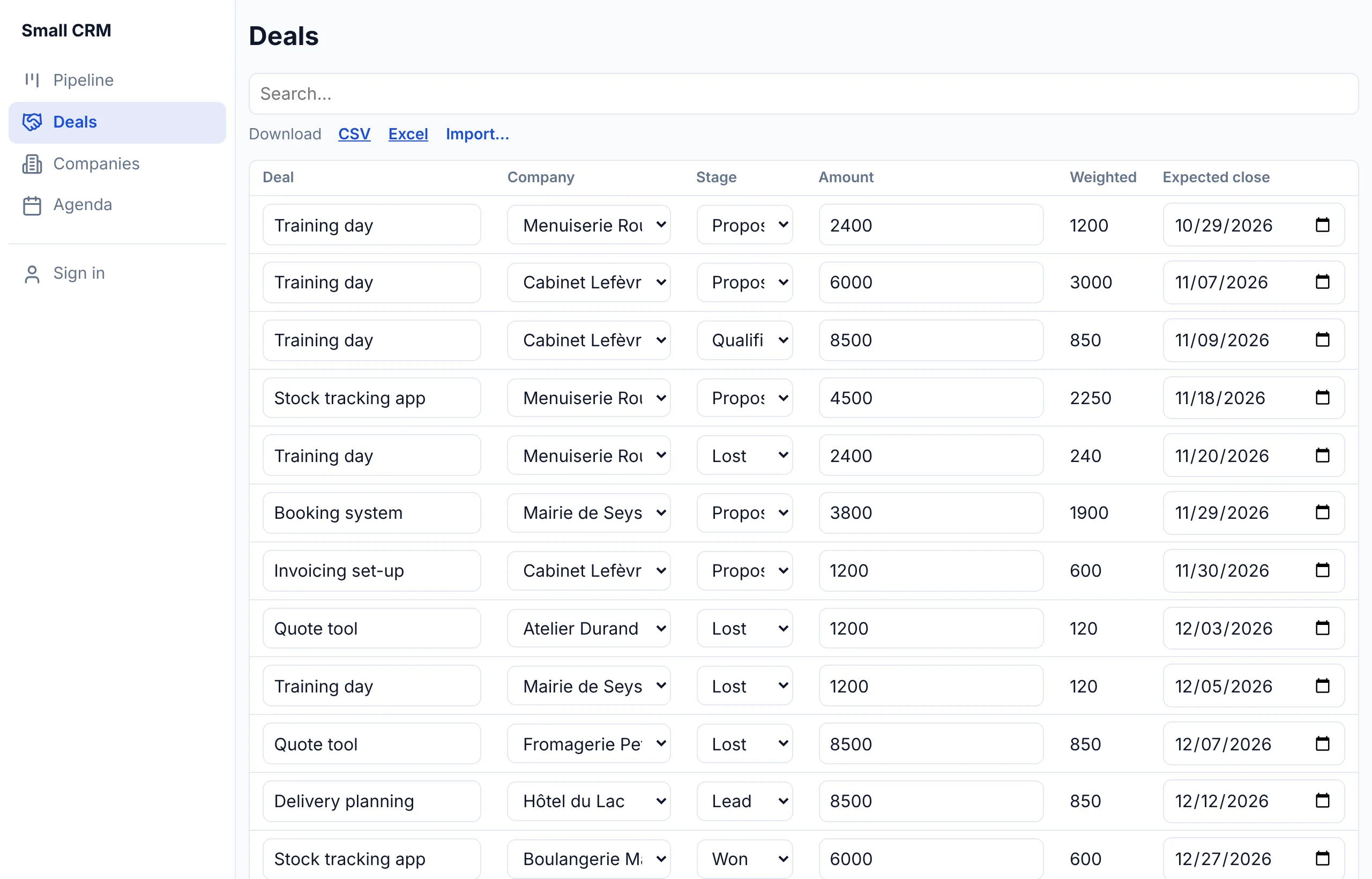
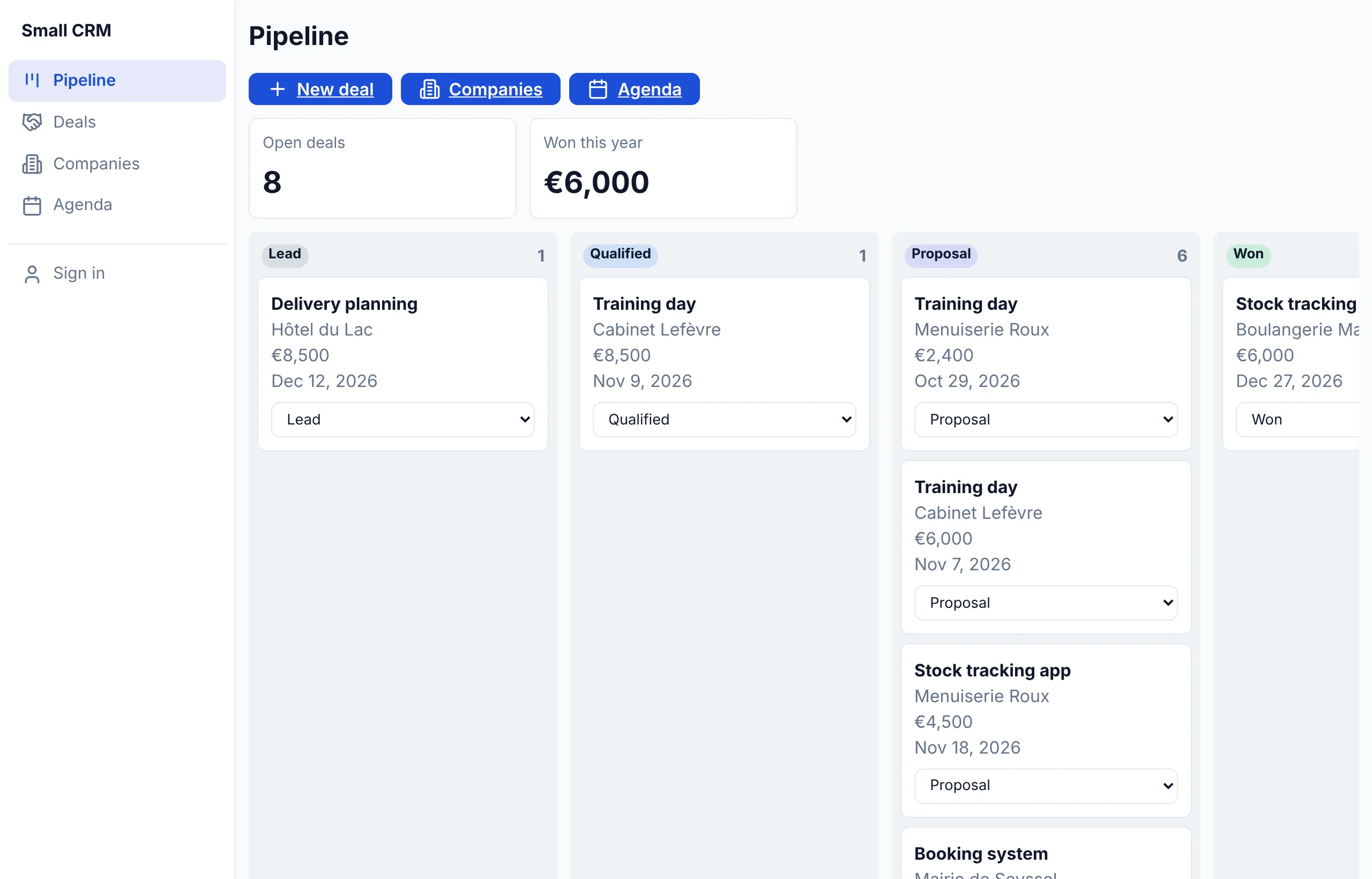
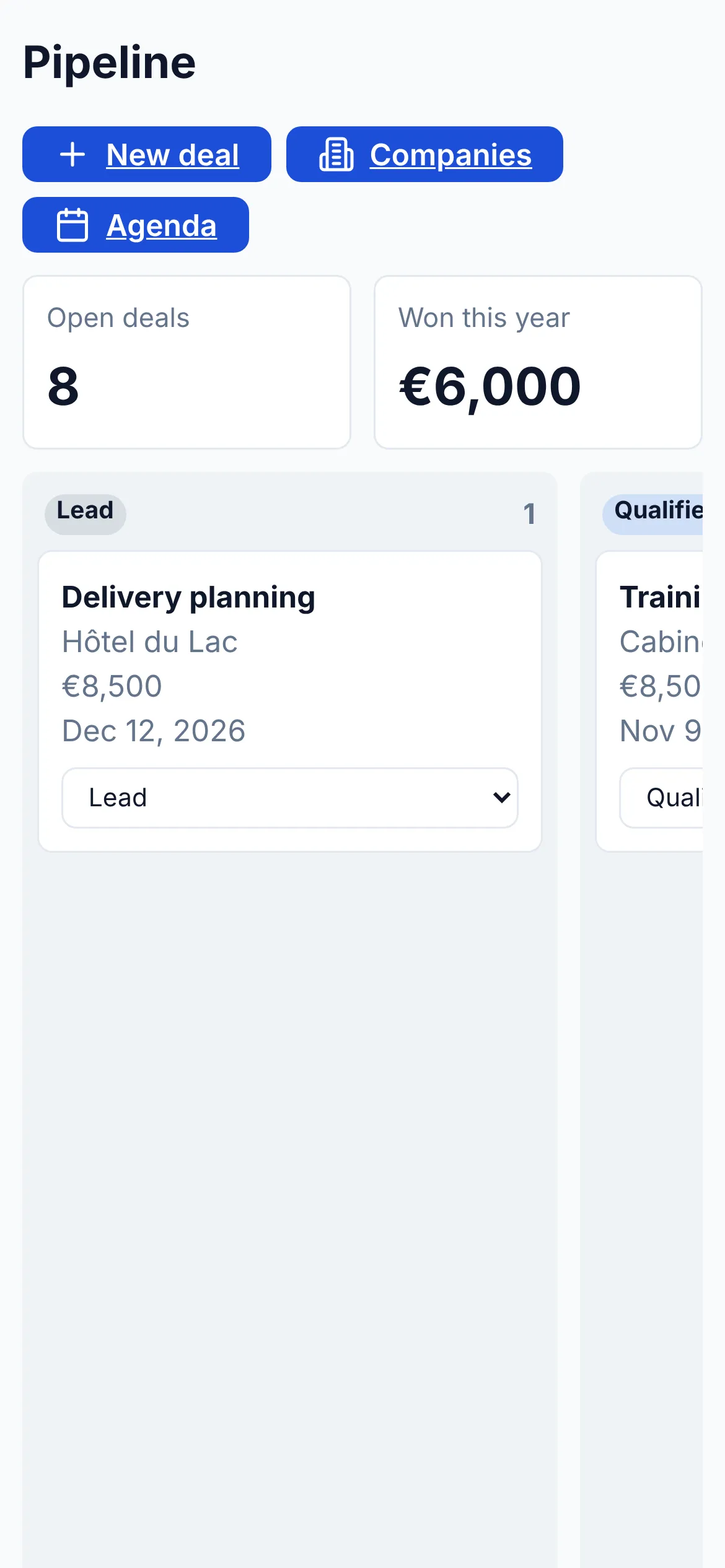
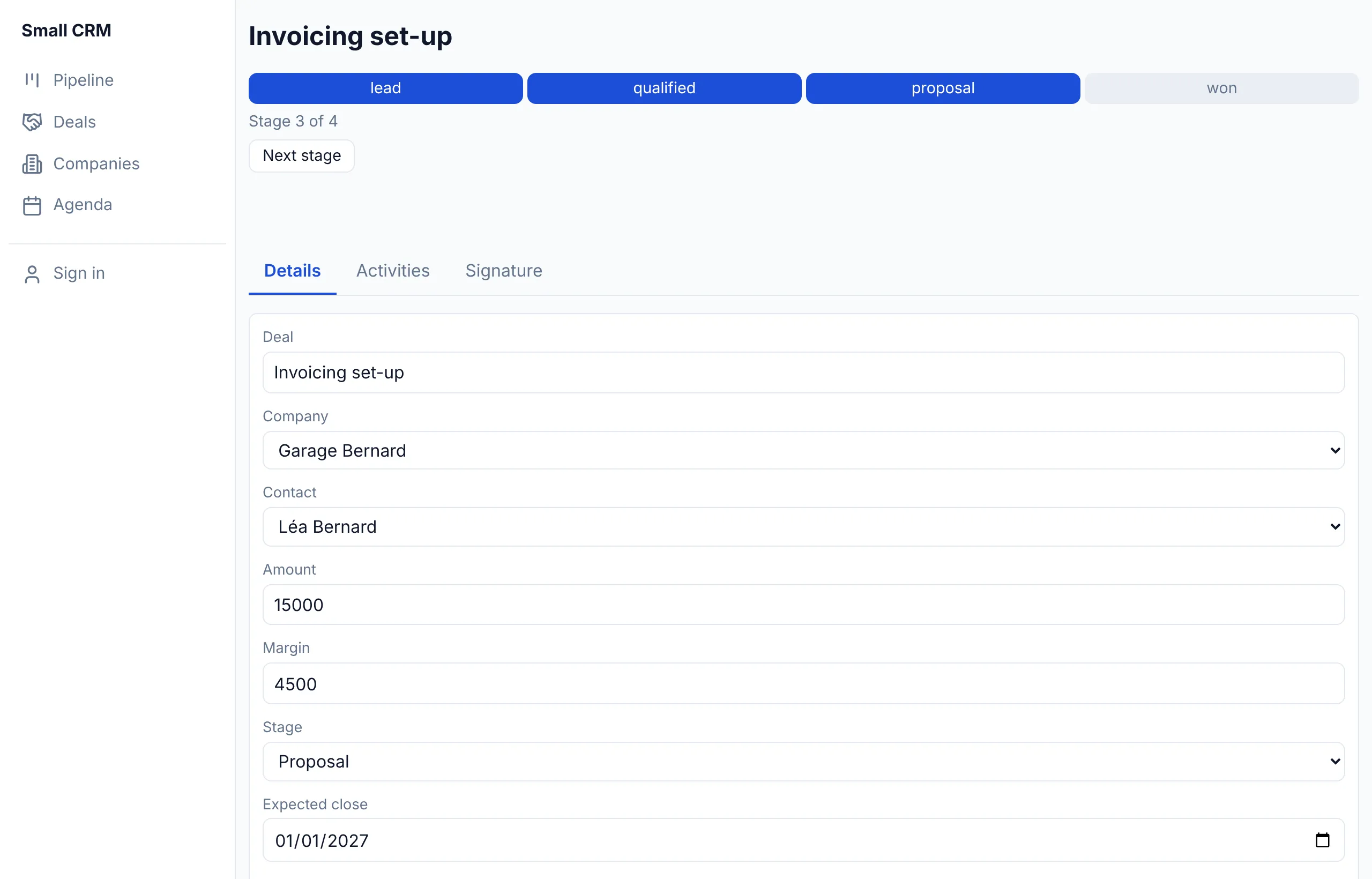
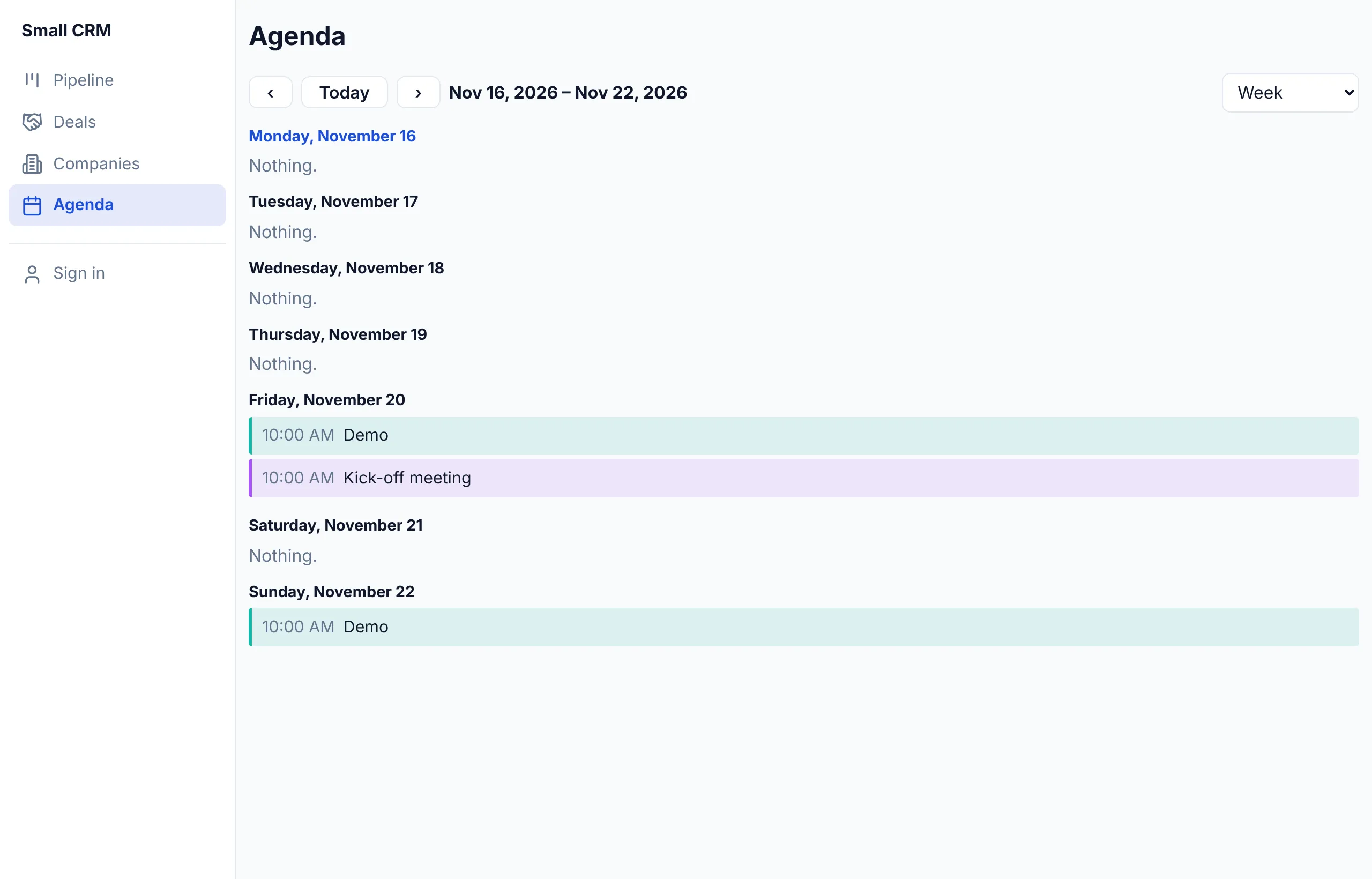
The same building blocks make very different apps. Here is the CRM example: a pipeline with its figures, a deal with its stages, tabs and signature, a calendar, and the same app on a phone.
Pay for the people who build, not for those who use
€49 a month for each person who makes apps, and €5 a month for each app online, whatever its number of users. A budget campaign with fifteen managers: €49 + €5 = €54 a month, before VAT.
Make the app your job needs
Download Livia Studio and describe your first app. The trial lasts 14 days and needs no card.